Registration and Logging In
Registration
Registering to bid on AuctionTime.com is free and allows the bidder to actively bid on any piece listed on AuctionTime.com.
To register to bid, simply click on the register link in the upper left-hand corner of the home page and go through the two-step registration process. Any information submitted through the registration process is 100% confidential.
Once you have submitted your registration for approval you will receive a phone call from an AuctionTime.com rep to finalize your registration and answer any questions you might have about the bidding process.
Logging In
Previously Registered on any sites - AuctionTime, TractorHouse, TruckPaper, MachineryTrader
Click the "Login" button on the top right of the home page if you have previously registered. Enter your user name and password and click login.
If you cannot login you can click the "Forgot Password" link to have the password reset emailed to you or call AuctionTime at (800) 334-7443 for assistance.
Once you are logged in proceed to the lot you wish to bid on. If you have bidding rights you will be able to place bids when the item opens. If you do not, click the "Complete Your Registration To Bid" link. Fill out the banking information and submit the form. Once submitted you will receive a verification call from AuctionTime.
To bid you can either enter your Max Bid or place a quick bid.
Enter your Maximum Bid and click Submit (see screenshot below). You will then have to confirm your bid with AuctionTime will then place bids on your behalf in the stated bid increment if others bid on the item, until your maximum bid is met.
Click the quick bid button and your bid is placed (see screenshot below). You will not have to confirm the quick bid.
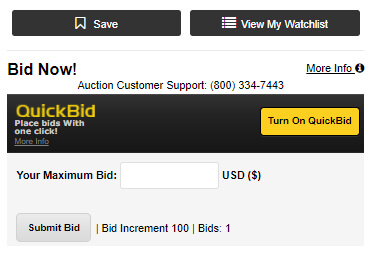
Enter your Maximum Bid and click Submit.
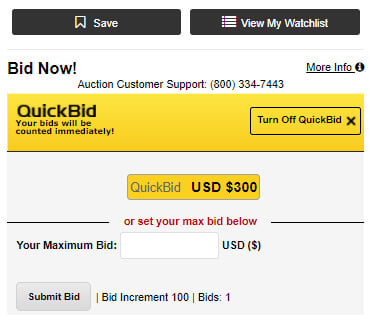
To quick bid, click the turn on quick bid button.